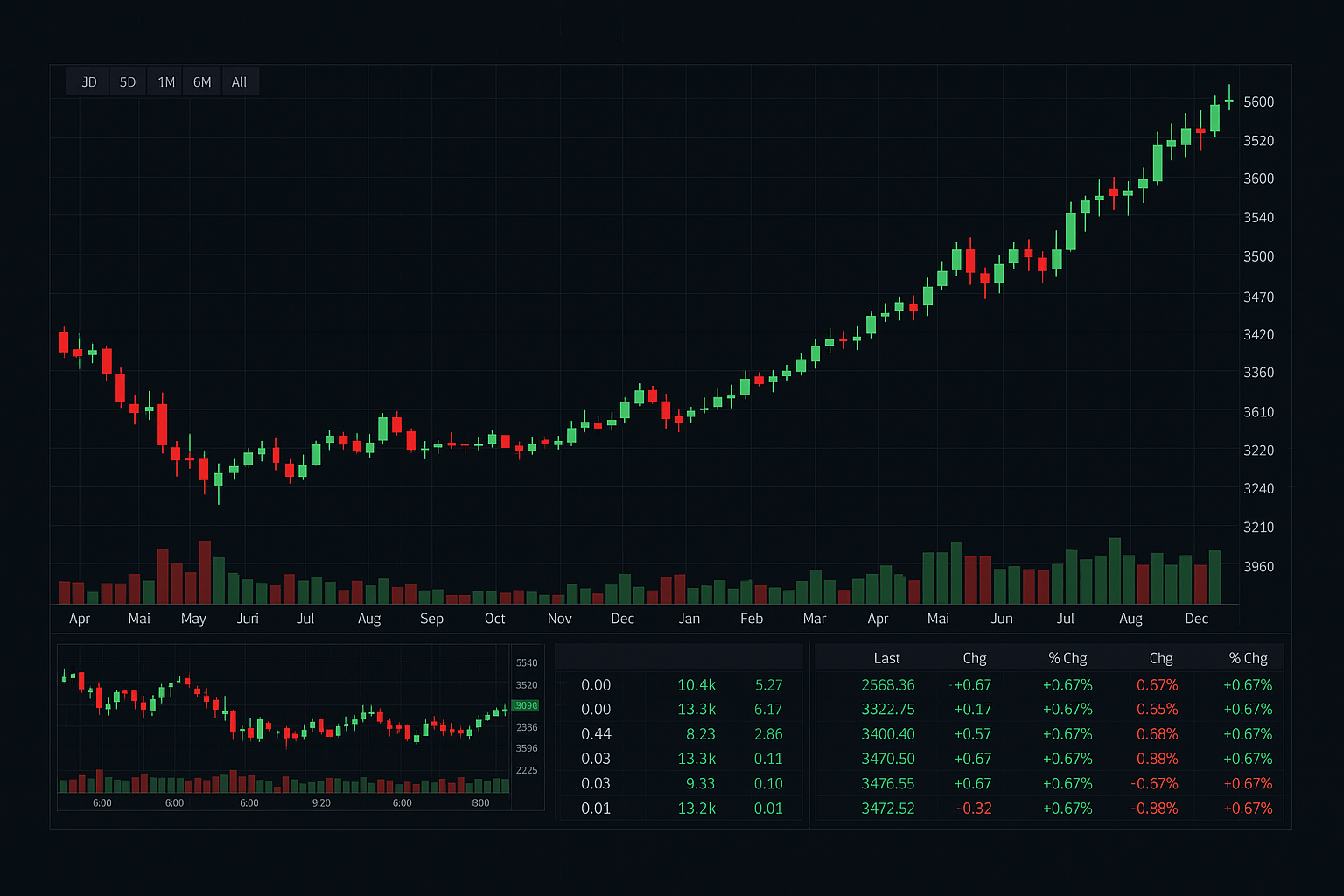
Trading in 2026 has transformed completely. What once required hours of chart analysis and years of experience now comes down to uploading a screenshot and letting artificial intelligence do the heavy lifting. Tradvio AI is at the heart of this shift, bringing a trading assistant directly into your pocket that speaks your language, understands your charts, and delivers clear buy or sell signals in seconds.
Whether you're a complete beginner taking your first steps into crypto, stocks, or forex, or a seasoned day trader looking to cut through the noise, Tradvio AI simplifies everything. No hidden complexity, no overwhelming jargon, just practical intelligence designed to support your trading decisions and help you trade with more confidence.
| Feature | Details |
|---|---|
| Screenshot Analysis | Upload any chart image and receive AI-powered trade signals instantly |
| Trading Modes | Scalp trading for short-term moves or swing trading for position holding |
| Markets Covered | Crypto, stocks, and forex all in one place |
| Pricing | $9.99 per month or $99.99 per year for Pro access |
| User Level | Beginner to intermediate traders welcome |
| Control | You make all final decisions; Tradvio never places trades automatically |
À retenir
Tradvio AI turns your chart screenshots into actionable trading insights using AI technology. It works across crypto, stocks, and forex, gives you two trading modes to match your style, and keeps you in complete control. No automated trading, no financial advice, just a smart second opinion when you need it most.
What Is Tradvio AI and How Does It Work?
Understanding the AI Chart Analysis Technology
Tradvio AI is built on a straightforward idea: visual chart analysis shouldn't be hard. Instead of spending hours learning technical indicators or second-guessing your entry points, you simply take a screenshot of your chart and let the AI examine it. The system scans your image for patterns, support and resistance levels, momentum signals, and other visual clues that traders traditionally spot by eye.
The technology behind it is designed to mimic what an experienced trader would see, but instantly. When you upload a chart screenshot, the AI breaks down what's happening on the screen, identifies possible turning points, and highlights areas where price action suggests movement might occur. You get insights in seconds that might otherwise take minutes of manual analysis.
This approach removes the guesswork from chart reading. You're not relying on your mood, the time of day, or how tired you are. The AI applies the same logical framework every single time, giving you consistency and a fresh perspective before you make a move.
How Tradvio Generates Buy and Sell Signals
Once the AI finishes analyzing your chart, it delivers two clear outputs: buy signals and sell signals. A buy signal appears when the system detects conditions that typically precede upward price movement. This might be a chart pattern completion, a bounce off support, or convergence of multiple positive indicators. A sell signal works the opposite way, showing when conditions suggest downward movement or when taking profits makes sense.
The beauty of this approach is simplicity. You don't get a wall of data or a dozen different interpretations. Instead, you get a straightforward recommendation: this looks like a good entry point, or this looks like a good exit point. You see exactly what the AI spotted on your chart and can decide whether to act on it.
These signals aren't commands. Tradvio never tells you to trade or guarantees any outcome. It's a second opinion, like having a knowledgeable friend review your chart before you click buy or sell. The final decision is always yours, which means you stay in control and learn as you go.
Supported Markets: Crypto, Stocks, and Forex
Tradvio doesn't lock you into one market. Whether you're interested in Bitcoin movements, Amazon stock charts, or EUR/USD forex pairs, the platform works across all three. This flexibility means you can use the same tool for your entire trading portfolio, no matter what you're following.
A crypto trader might upload a daily Bitcoin chart in the morning and a 15-minute Ethereum chart in the afternoon. A stock trader can analyze their watchlist throughout the day. A forex trader gets the same clear signals whether they're looking at major pairs or exotic crosses. One app, one subscription, multiple markets. This is the practical advantage that saves time and keeps your workflow clean.
Key Features and Trading Modes Explained
Scalp Trading Mode for Short-Term Traders
Scalp trading is all about small, quick wins. You enter a position, capture a small move, and exit within minutes or hours. Scalp traders need speed, clarity, and the ability to spot micro-trend reversals. Tradvio's scalp trading mode is tuned specifically for this style.
When you upload a 5-minute or 15-minute chart and select scalp mode, the AI focuses on short-term momentum, immediate support and resistance, and quick reversal signals. It's not looking at the big picture. It's hunting for the next 2-5% move right now. This mode rewards traders who like fast-paced action and can watch charts throughout the day. If you're a day trader by nature, scalp mode matches your rhythm perfectly.
Swing Trading Mode for Position Traders
Swing traders take a different approach. They hold positions for days or weeks, letting bigger trends develop. A swing trade on Bitcoin might run for three days and capture a 8-15% move. Swing traders care less about minute-to-minute noise and more about where the trend is going over the next few days.
Tradvio's swing trading mode shifts the AI's focus accordingly. Upload a 4-hour or daily chart, select swing mode, and the system looks at longer-term patterns, major support and resistance zones, and bigger trend signals. It filters out the noise that matters to scalp traders and zeros in on the signals that matter for holding a position over time. This mode is perfect if you can't watch charts all day or prefer to let winners run.
Screenshot Upload and Visual Analysis
The core workflow is dead simple. Open your trading app or charting platform, take a screenshot of whatever you're analyzing, and upload it to Tradvio. No exports, no complicated file formats, no manual data entry. The AI reads the image directly and immediately starts working.
What makes this special is that you're showing the AI exactly what you see. You're not copying numbers into a form or describing a chart in words. Visual analysis stays visual. The AI sees your candles, your trendlines, your volume bars, your price levels, exactly as your eyes see them. This directness reduces room for error and makes the analysis feel personal and accurate.
Risk Management and Trade Signals
Trading is about surviving long enough to win. Tradvio builds risk awareness into its core design. The platform reminds you to think about position sizing, stop losses, and capital preservation at every step. Buy signals come with guidance on where a logical stop loss might sit. Sell signals help you lock in profits before momentum reverses.
The signals themselves are conservative by nature. The system looks for high-confidence setups, not every possible entry. This means fewer trades but better odds on the ones you take. You're not drowning in false signals or spending your day chasing every tick. You get clear, meaningful recommendations that pass a quality bar.
Getting Started: Registration and Setup
Step-by-Step Account Creation Process
Getting aboard takes about five minutes. Head to the Tradvio website or open the mobile app, and you'll see a registration form. Enter your email, create a password, and verify your account by clicking the link sent to your inbox. That's it. No tedious document uploads at this stage, no identity verification process that takes days.
Once you're in, you land on a clean dashboard. You can immediately start exploring. Browse your subscription options, read the tutorial, or jump straight to uploading a chart. The interface is designed so that even if you've never traded before, you know where to go and what to do next.
Deposit Requirements and Subscription Plans
Tradvio offers two subscription tiers. The free version lets you upload charts and see basic signals, which is plenty if you want to test the platform without spending anything. This is a real advantage for skeptics. Try it first, see if the signals make sense to you, and only upgrade if you want the full feature set.
The Pro plan costs $9.99 per month or $99.99 per year. Pro unlocks full AI-powered analysis, advanced signal detection, and priority access to new features. The yearly option saves you nearly 20% compared to monthly billing, which makes sense if you're serious about using Tradvio as part of your regular trading routine.
One thing to clarify: Tradvio itself requires no deposit. This is not a trading broker. You keep your trading accounts and your money wherever they currently are. Tradvio only charges you for the subscription service. You pay Tradvio, get signals, and trade on your own platforms. Your funds stay under your control at all times.
Choosing Between Free and Pro Features
The free version is genuinely useful. You can upload screenshots, receive basic buy and sell signals, and test the system with real charts. It's an honest free trial that shows whether Tradvio's analysis style matches how you think about trading.
Pro gives you the full picture. Advanced signal detection means the AI applies more sophisticated pattern recognition. You get faster analysis, deeper insights on each chart, and access to both scalp and swing modes at their best. If you're trading actively, Pro is where the real value lives.
Many traders start free, upload a few charts, and see if the signals align with what they already suspected about those charts. If they do, upgrading to Pro is a natural next step. If they don't, you've lost nothing and gained clarity about whether Tradvio is right for you.
Is Tradvio AI Legitimate and Safe for Beginners?
Platform Security and User Reviews
Tradvio has built a solid reputation across app stores and review platforms. On Google Play, the application maintains a 4.6-star rating from hundreds of user reviews. People use it. People like it. And importantly, people come back to it regularly. That track record matters.
Regarding security, Tradvio keeps things straightforward. You're uploading chart images and receiving signals. No financial data is stored, no passwords are shared with brokers, no sensitive information changes hands. Your trading accounts stay where they always were. Tradvio is purely an analysis tool that sits outside your actual trading infrastructure.
Who Should Use Tradvio AI
Tradvio is built for beginner to intermediate traders, day traders, and anyone who thinks visually about charts. If you're someone who prefers looking at price action and patterns over memorizing dozens of indicators, this platform speaks your language. The system assumes you understand basic trading concepts (what a buy and sell signal means, why risk management matters) but doesn't require years of experience.
A complete beginner can use Tradvio successfully. Start with the free version, upload a few chart screenshots, and learn what the signals look like. The platform teaches by example. Every signal you receive shows you exactly what the AI spotted, which trains your eye over time. Within weeks, you'll start recognizing patterns and understanding why certain charts trigger signals and others don't.
Experienced traders also benefit. A professional scalper might use Tradvio to validate their own chart analysis or to scan multiple charts quickly. A position trader might set alerts and upload charts weekly to stay aligned with longer-term trends. The tool scales from beginner curiosity to professional workflow.
Limitations and What Tradvio Does Not Do
Tradvio is transparent about what it doesn't do. It never places trades automatically. It never manages money. It never gives financial advice. It doesn't promise returns or guarantee any outcome. These are intentional limitations that actually protect you.
Think of Tradvio as a research tool, not a broker or advisor. It's like having access to a skilled analyst who reviews your charts and gives you an opinion. You decide whether to act on that opinion, when to act, how much to risk, and which suggestions to ignore. You remain the trader. Tradvio is the assistant.
The platform also works only with charts you provide. It's not predicting the future or claiming special insight into where prices will go. It's analyzing visible chart patterns and telling you what those patterns typically suggest. If the market behaves differently tomorrow, that's trading. That's reality. Tradvio can't change that, and it doesn't pretend to.
Tradvio AI Pricing and Subscription Options
Monthly vs. Annual Plans
The monthly plan runs $9.99 per month. This is pocket change if you're trading actively. For someone taking 10 to 15 trades per month, that's less than one dollar per trade. For casual traders uploading a chart a few times weekly, it's a rounding error in your trading expenses.
The annual plan costs $99.99 per year, which breaks down to about $8.33 per month. The yearly option saves you roughly $20 compared to paying monthly, and it locks in your price if fees ever increase. Many traders choose annual just for the convenience of paying once and not thinking about renewal for 12 months.
Both plans renew automatically unless you cancel at least 24 hours before your renewal date. This means you can try a month, decide it's not for you, cancel before the next charge hits, and walk away with no drama. It's a fair arrangement that respects your ability to opt out easily.
What's Included in Tradvio Pro
Tradvio Pro unlocks the full artificial intelligence engine. You get complete screenshot analysis powered by the platform's most sophisticated pattern recognition. Signal detection becomes more refined. You access all trading modes without restriction. You can upload as many charts as you want and receive signals as quickly as the system processes them.
Pro also typically includes early access to new features and improvements as Tradvio evolves. If the team builds new signal types or enhanced analytics, Pro subscribers see them first. You're not paying just for current capability. You're investing in ongoing platform development.
Beyond the technical features, Pro gives you confidence. You know you're using Tradvio at full power. You're not hitting any artificial limits. The system is throwing its entire capability at your charts. That psychological advantage matters when you're making trading decisions.
Trading in 2026 is faster, more visual, and more accessible than ever. Tradvio AI fits perfectly into this new reality. You don't need experience to use it. You don't need to spend hours learning technical analysis. You upload a chart, read the signals, and make your own informed choice. That's the whole proposition, and it works beautifully.
Start with the free version. Test it with charts you're already watching. See if the signals make sense. If they do, Pro costs barely more than a coffee habit and delivers real value to your trading routine. If they don't, you've confirmed that Tradvio isn't your style without losing a cent. In 2026, that's the kind of low-risk, high-clarity decision-making we should expect from trading tools.